Time & scheduling
Every hour lands on the project.
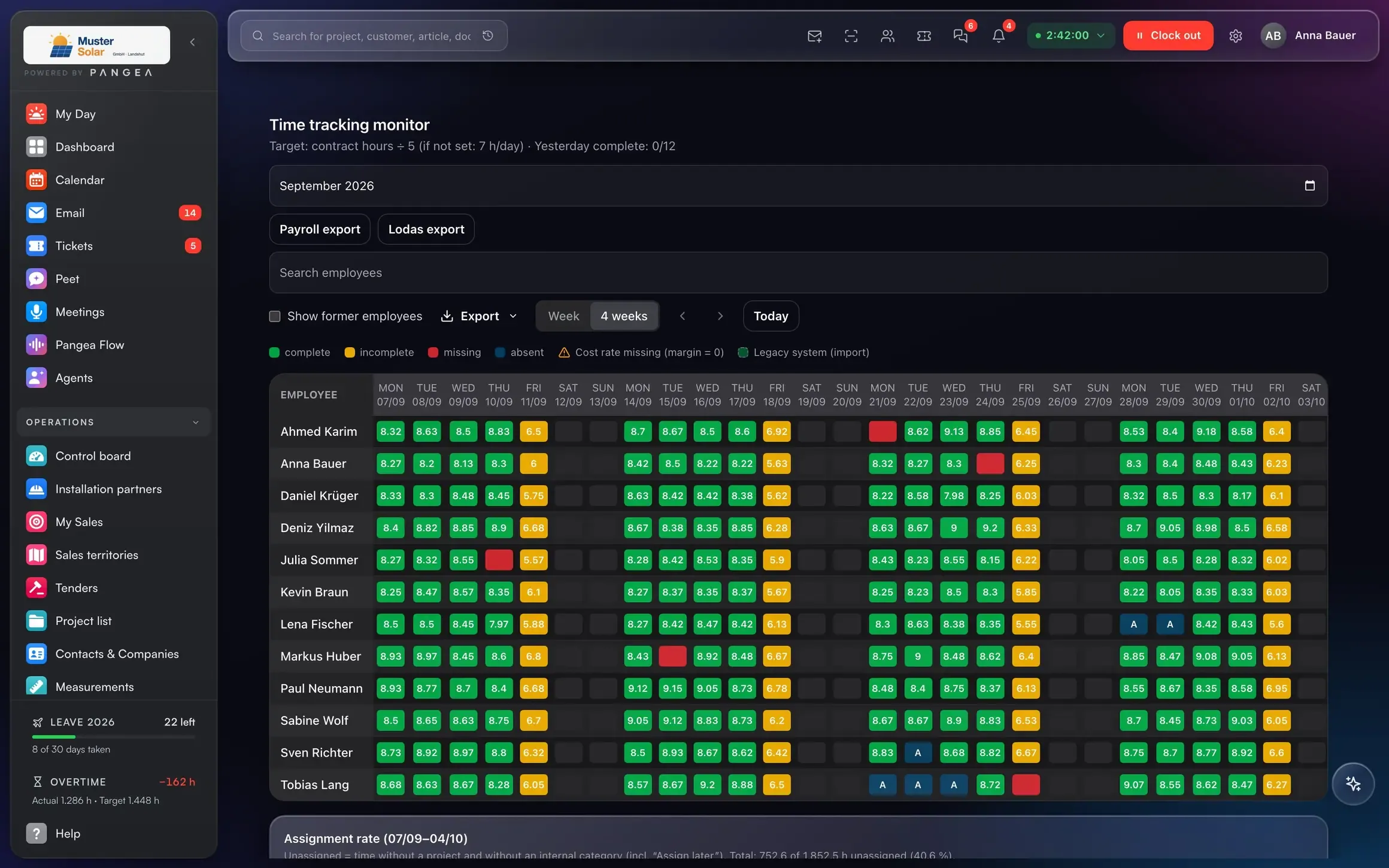
Clock in from the header bar, switch projects with one click, time monitor and team planner keep everything complete. Job costing adds up at month end.
What's inside
Clock in, plan, cost.
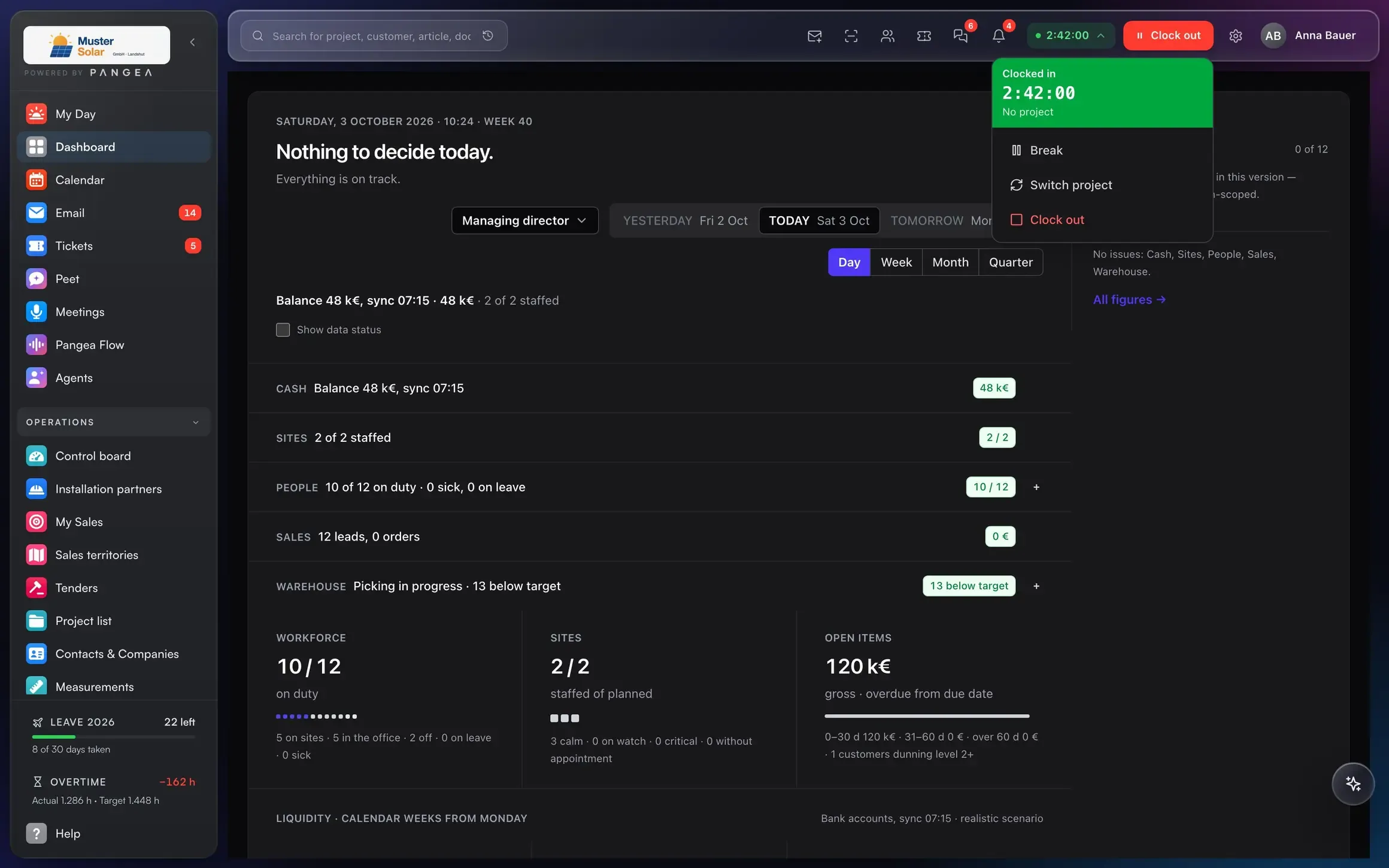
Clock in from the header bar.
One click, pick the project, done. On the phone too, offline too.
Reminders for gaps.
If an hour is missing, Pangea flags it in the evening, not at month end.
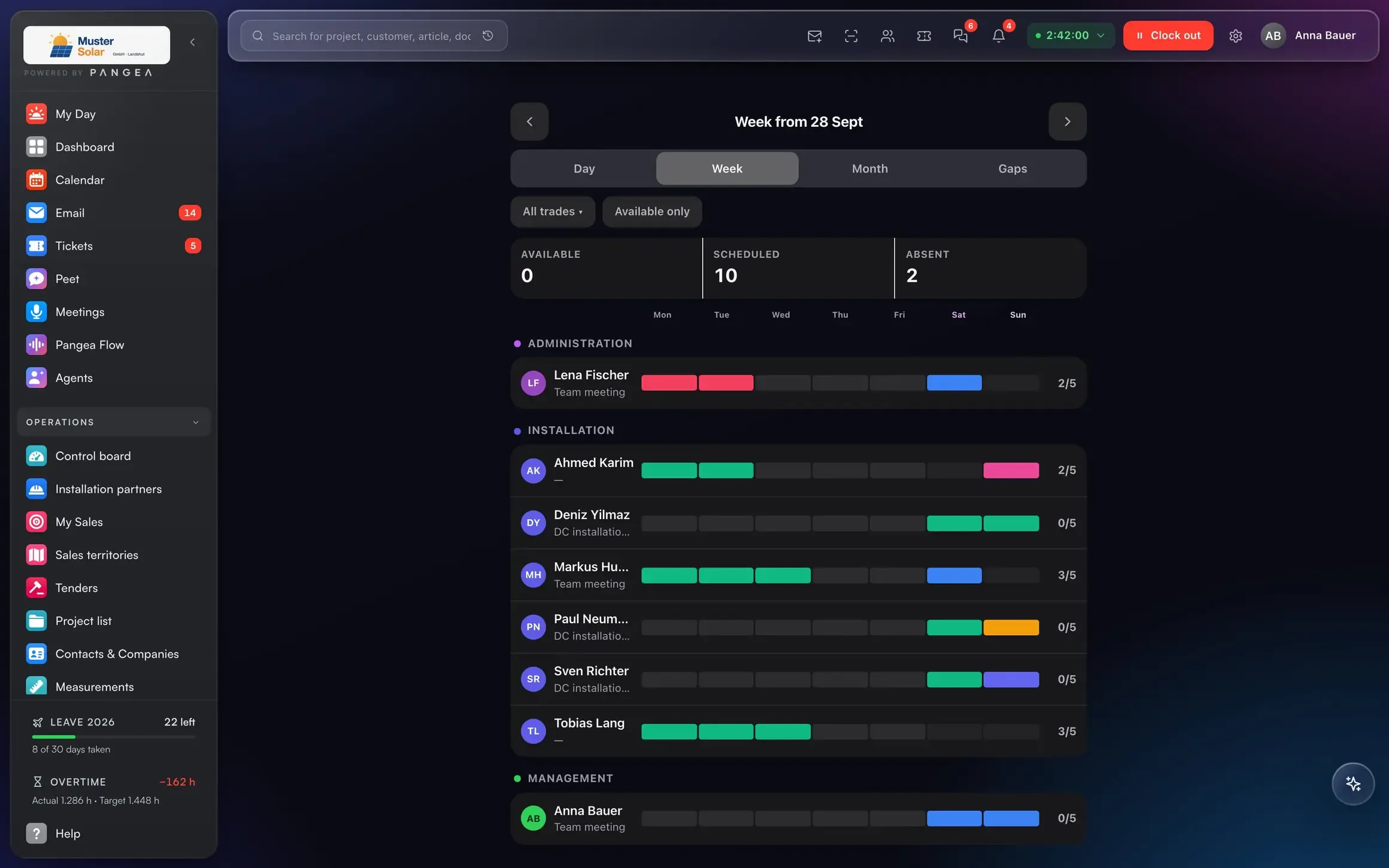
Team planner.
Who, when, where: planning board with drag-and-drop, absences and leave included.
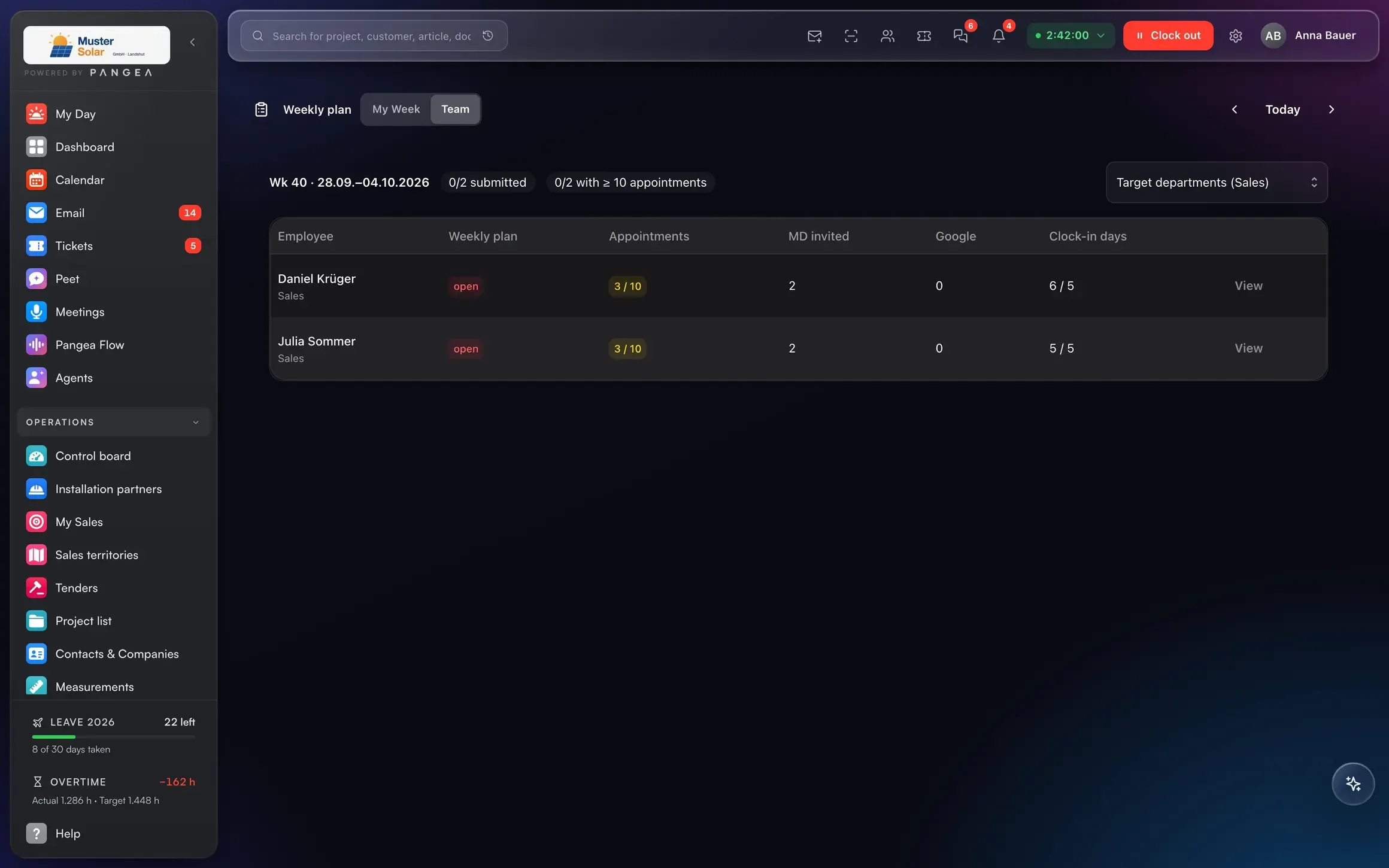
Weekly plan and calendar.
Appointments, jobs and meetings in one view, linked to projects.
Connected to
One hour, and three things add up.
Linked to the project, on the phone.
Planned against actual per project.
Hours go into the payroll export.
Time-and-materials work ends up in billing.
Customer, project, document and payment are one model. That is why the next step follows from the previous one, without re-entry.
AI in this area
The AI proposes. You approve.
Missing hours are detected and flagged in the evening.
Phases and availability produce a planning proposal.
Answers with sources, only with what the person asking may see. Data in the EU.
Who it's for
Three roles, the same numbers.
One tap to clock in.
Hours per project, live.
Payroll export without rework.
Replaces
Clockodo, TimeTac, clockin ≈ €10 per user
Included in the Pangea user price.
Frequently asked questions
What businesses ask us about time tracking.
Does clocking in work offline?
Are there break rules?
Can I export hours to payroll?
Can employees see their own hours?
Next step
A demo with someone who has issued progress invoices themselves.
30 minutes on your own example: one project from quote to payment, with your numbers.
Data migration via DATANORM, Excel and DATEV.