ERP · CRM · Projects · Finance · Warehouse · HR · AIERP · CRM · AI
The whole business
in one system.
Sales, projects, documents, finance, warehouse, HR and communication on one data model, and an AI that knows it. Each morning you see where the business stands, instead of picking up the phone.Sales, projects, finance, warehouse, HR – one data model, one AI.
For business owners
Four things you keep an eye on as the owner.
The whole business in small tasks, each with an owner and a deadline. You see tickets, absences, margin and stock without asking around.
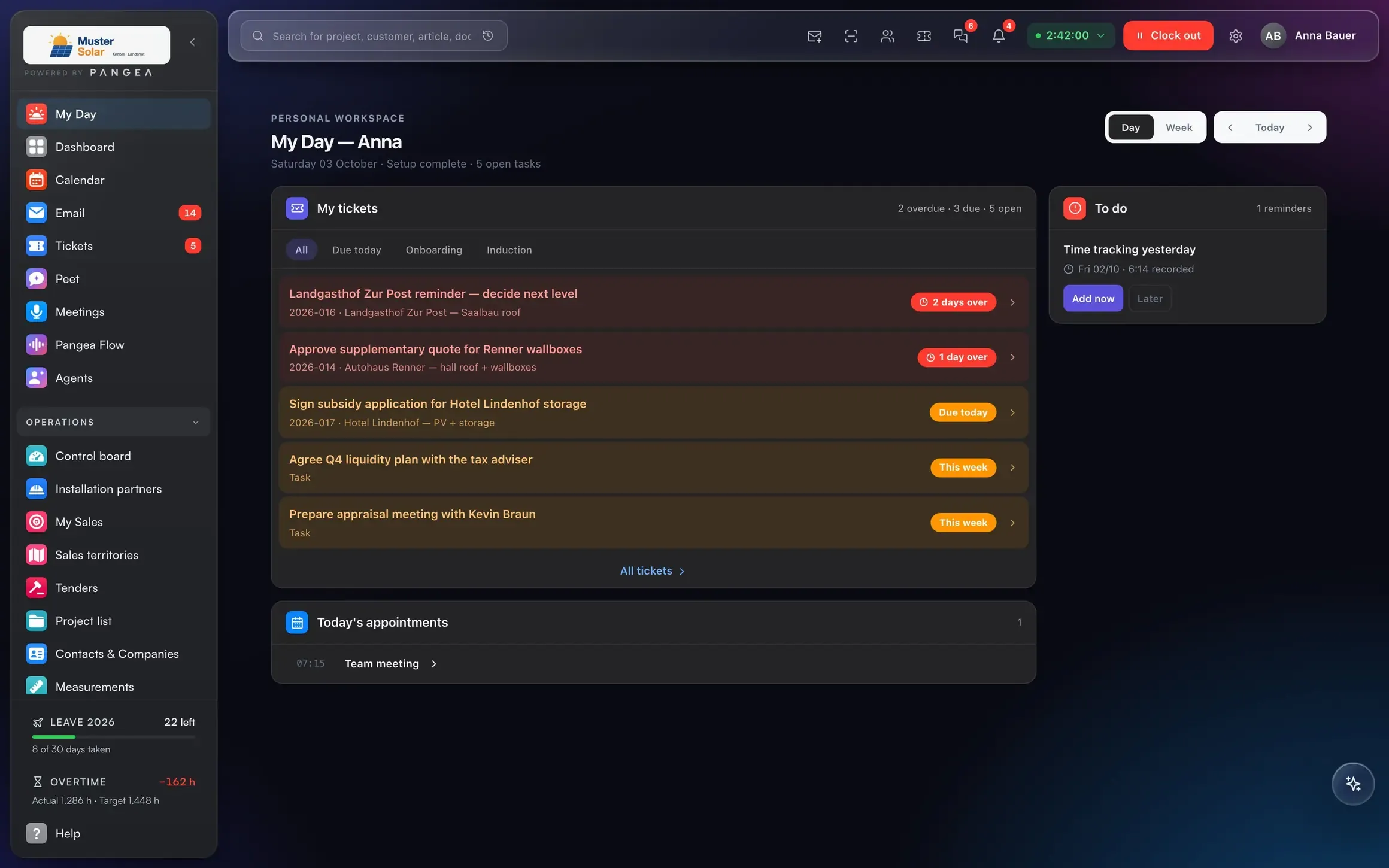
The whole process in small tasks.
Every task is a ticket with an owner and a deadline. The traffic light sets itself: on track, due today, overdue. You see the status without asking.
My tickets: 2 overdue, 5 open, every deadline colour-coded.
Projects & control centre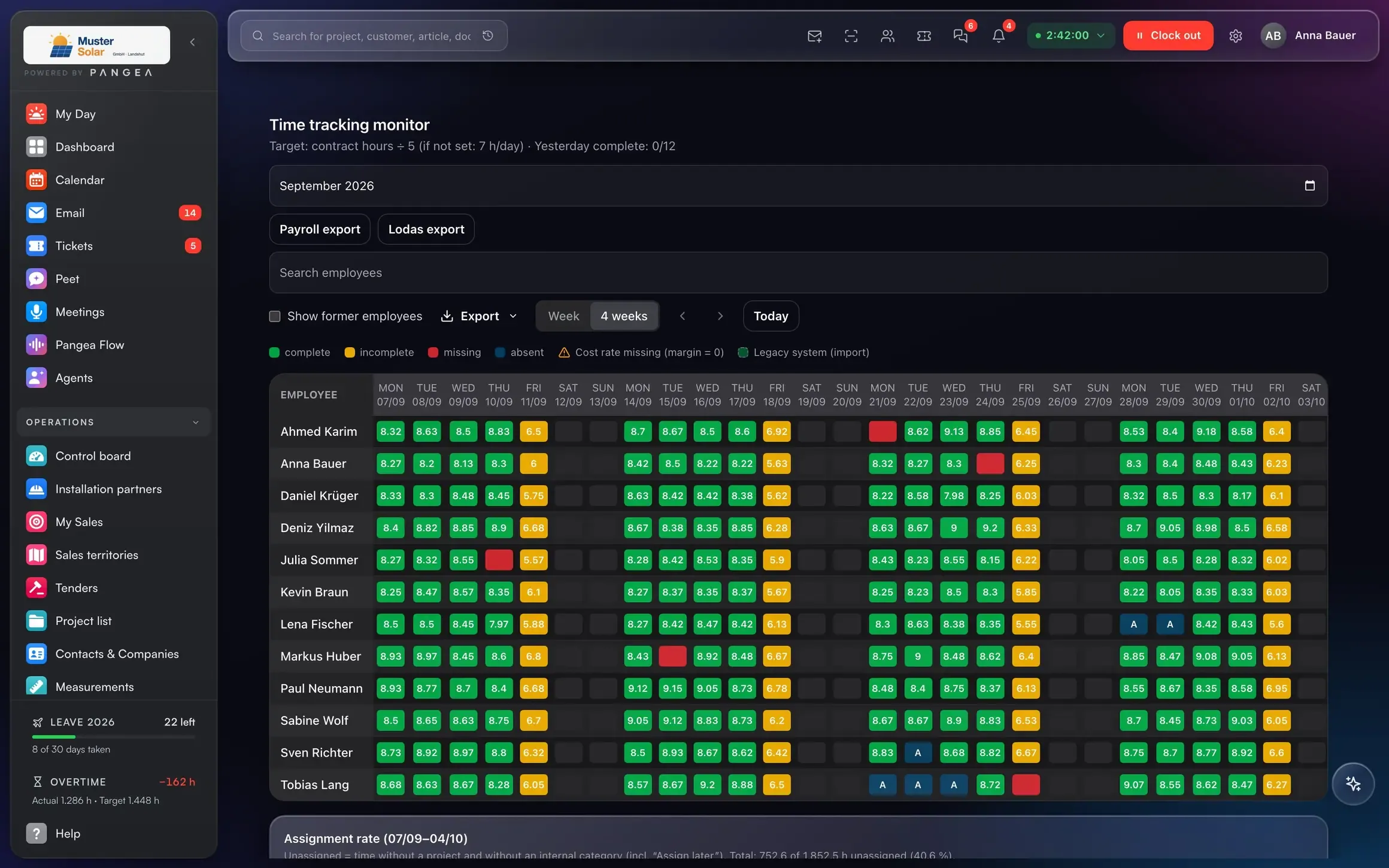
Who is in, who is sick, who is productive.
Per employee and day: fully clocked, incomplete, missing or absent. Sick days and productive project hours per person, from the time clock instead of paper.
Time monitor: 12 employees, 4 weeks, traffic light per day.
Time & scheduling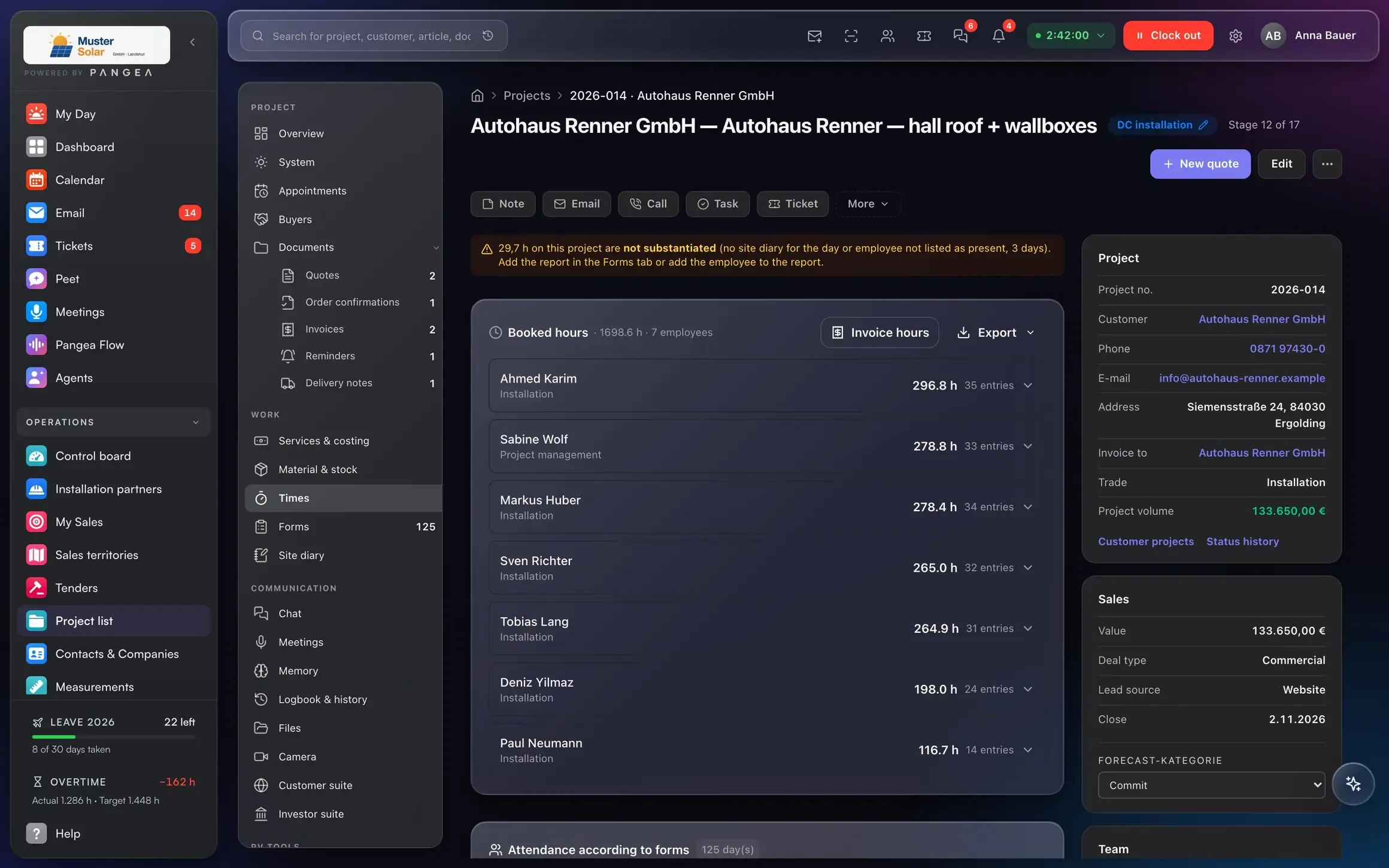
Is the project really profitable?
Costing before, job costing after: planned versus actual for hours and material, profit in percent. Every hour is clocked on site against the project, not somewhere else.
Project file: 1,703.5 h booked by 7 employees on the project.
Projects & control centre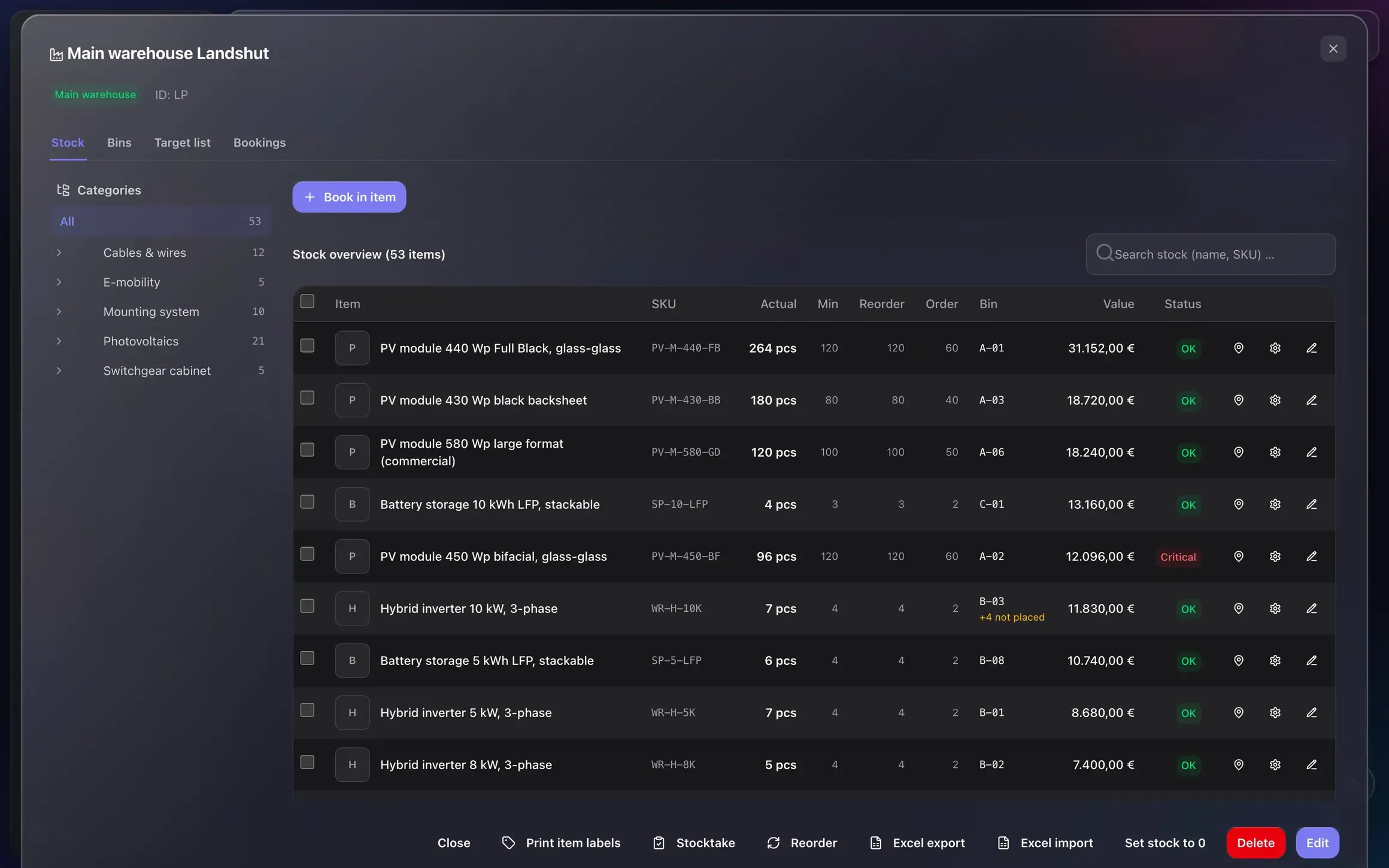
Book in, book out, reorder automatically.
Every movement is booked, by scanner or phone. When an article drops below its reorder level, Pangea creates the purchase order automatically. You approve, the rest goes to the supplier.
Stock: actual, minimum and reorder level per article, 2 critical.
Warehouse & purchasingOne data model
Everything that happens in the business exists once. And is visible everywhere.
One event, four views: a payment arrives. Nobody types anything in.One event, four views: a payment arrives. Nobody retypes a thing.
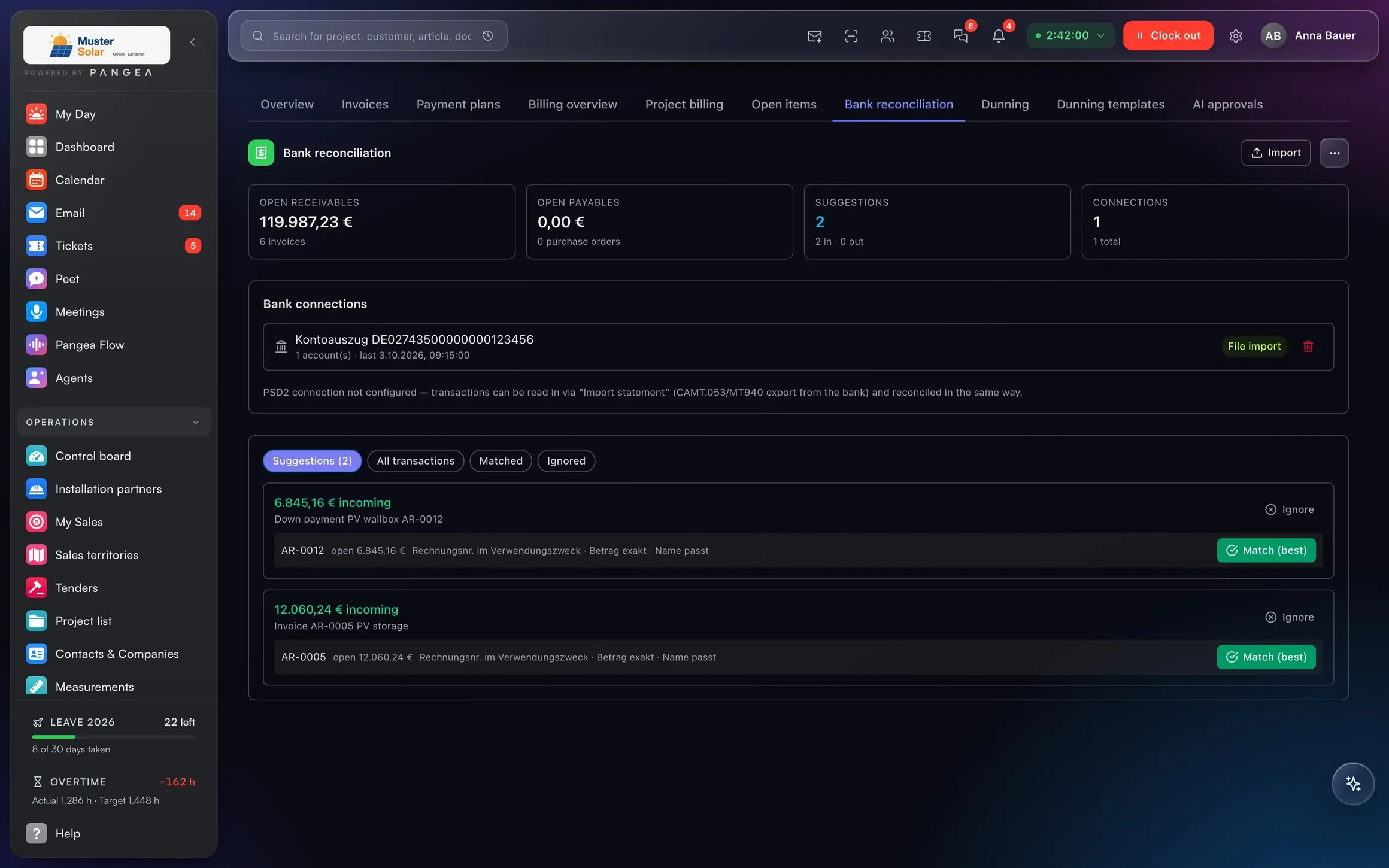
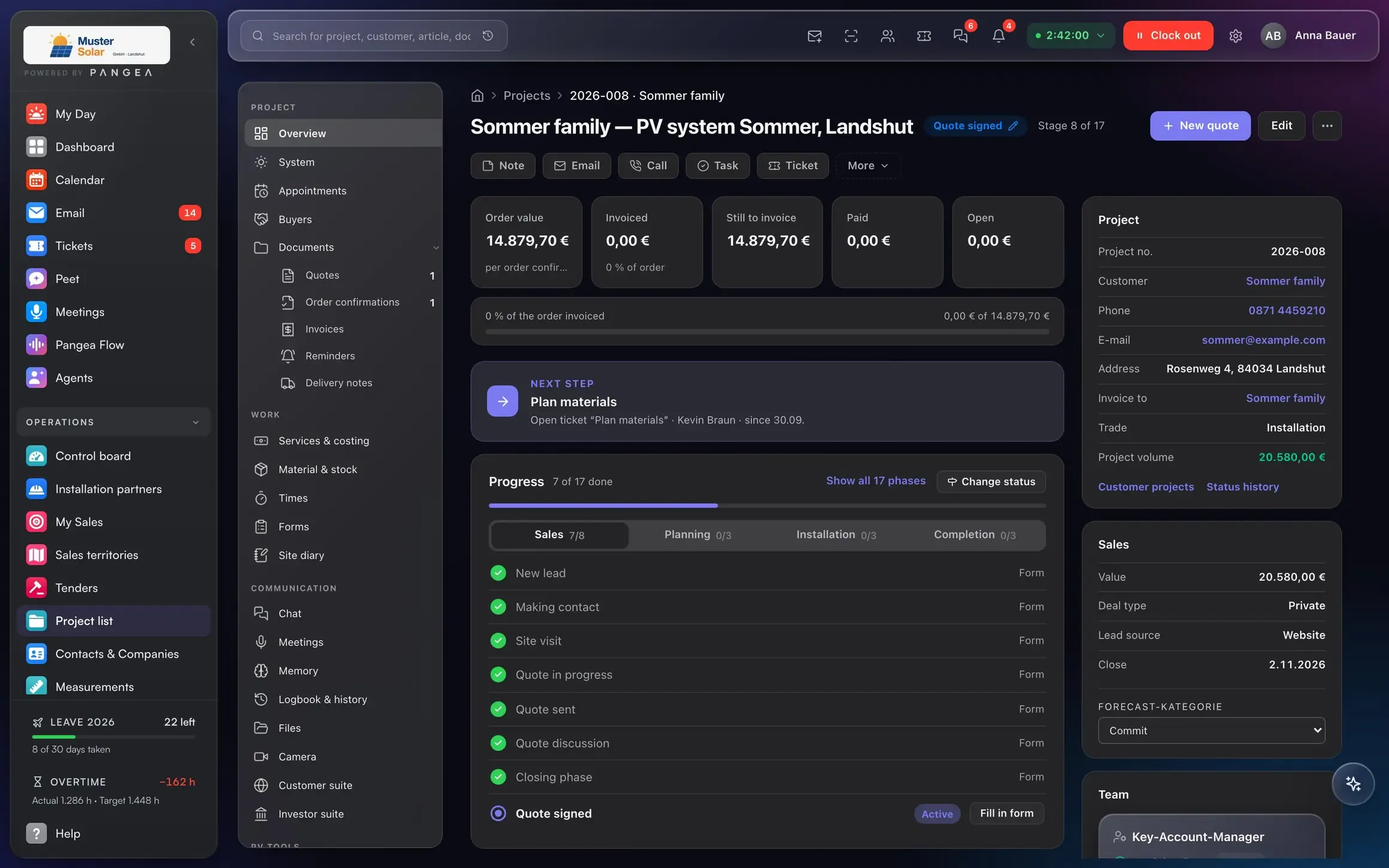
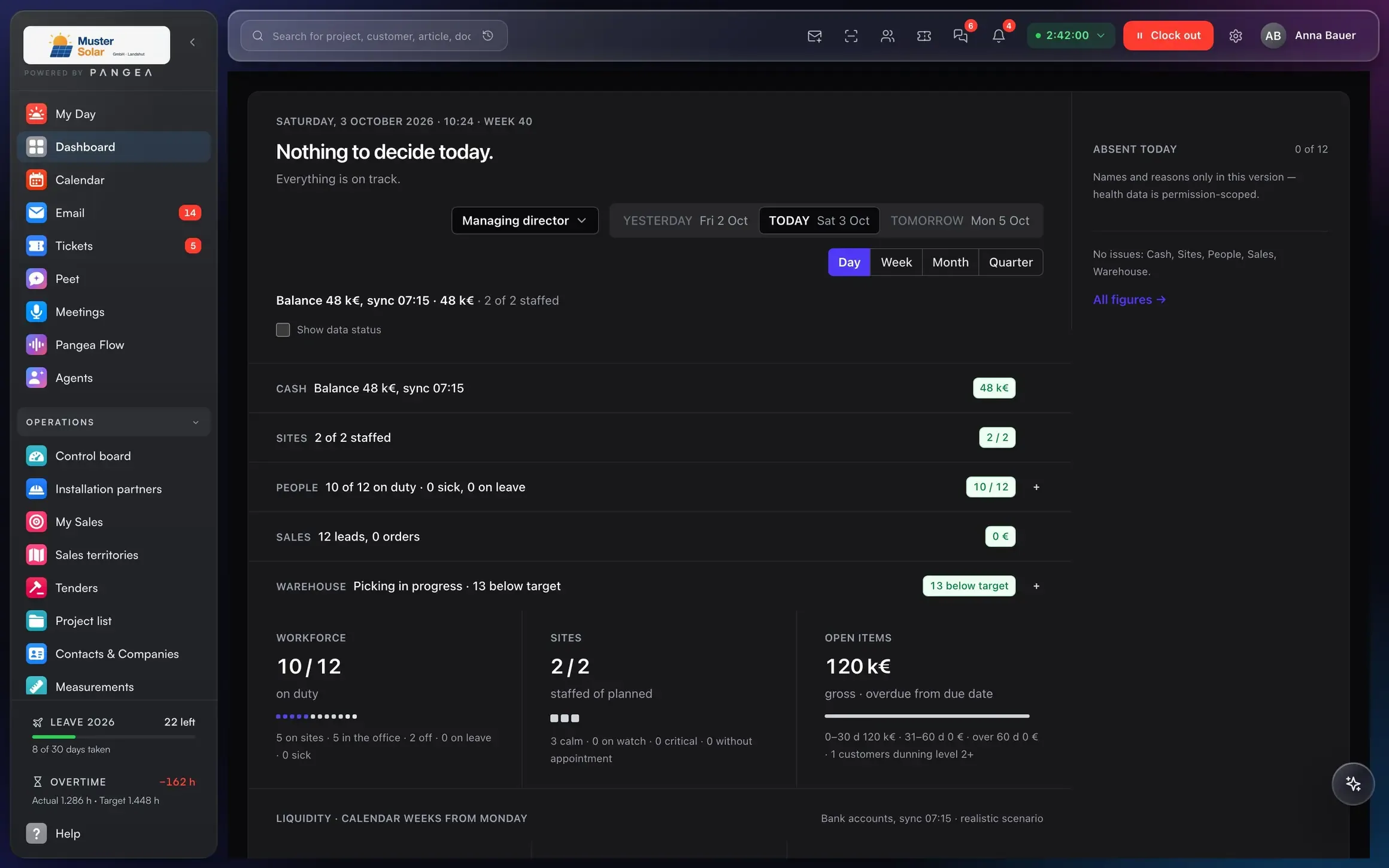
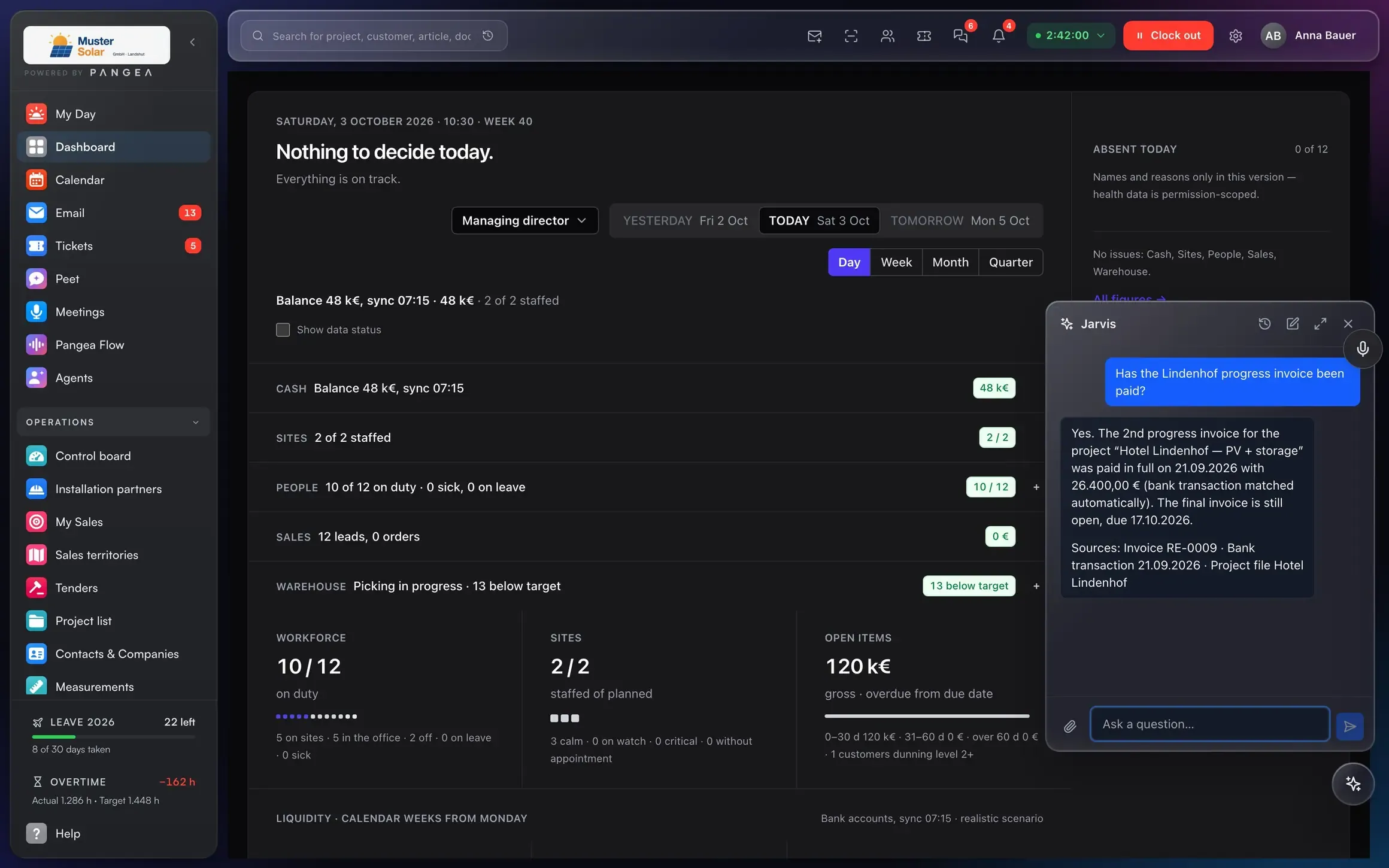
Customer, project, quote, invoice and payment are one connected model. That is why every document knows where it came from and what its next step is.
A view for every role
Everyone sees their part. Everyone sees the same numbers.
Can I see my business without asking around?
Cash position, projects, team, sales and warehouse on one screen. Up to date every morning, from the same data the team works with.
- Cash position and open items live
- Project status per job, no phone call
- Who is working where today, who is absent
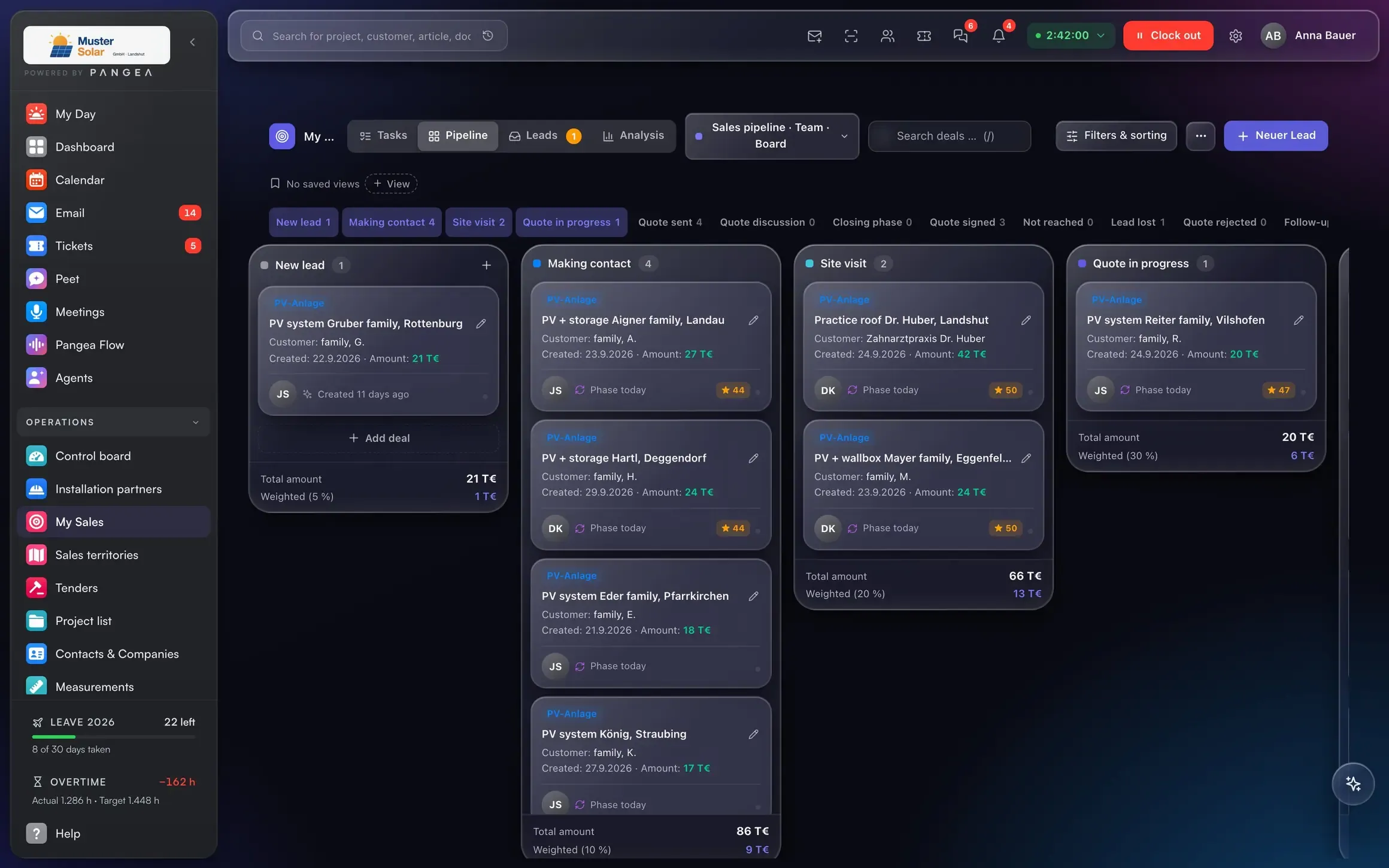
Is every quote followed up?
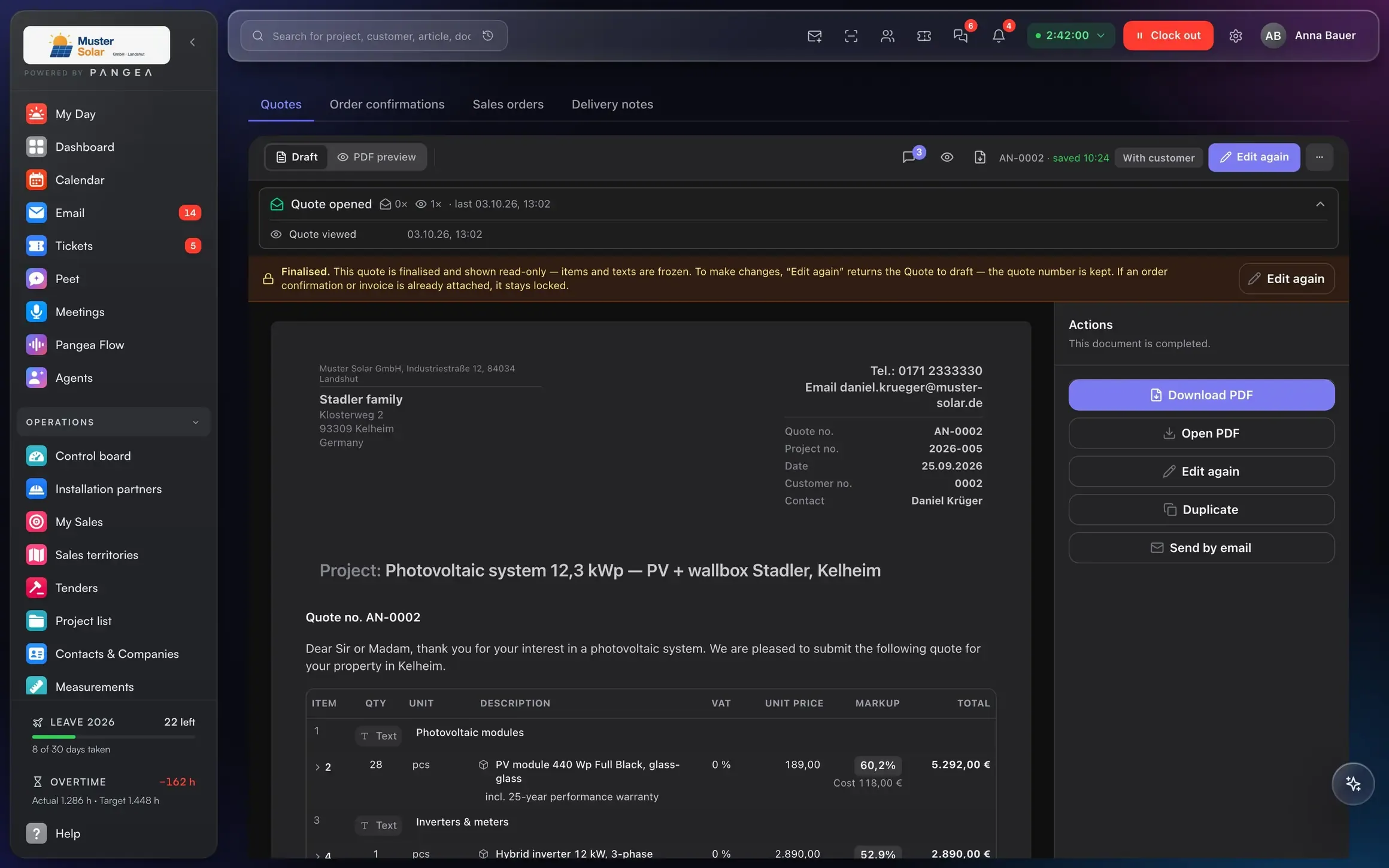
Every enquiry has a phase, an owner and a next step. The forecast is calculated from the quotes you have sent.
- Notified when the quote is opened
- Accepted via link, signed on the phone
- Lead scoring, hot leads first
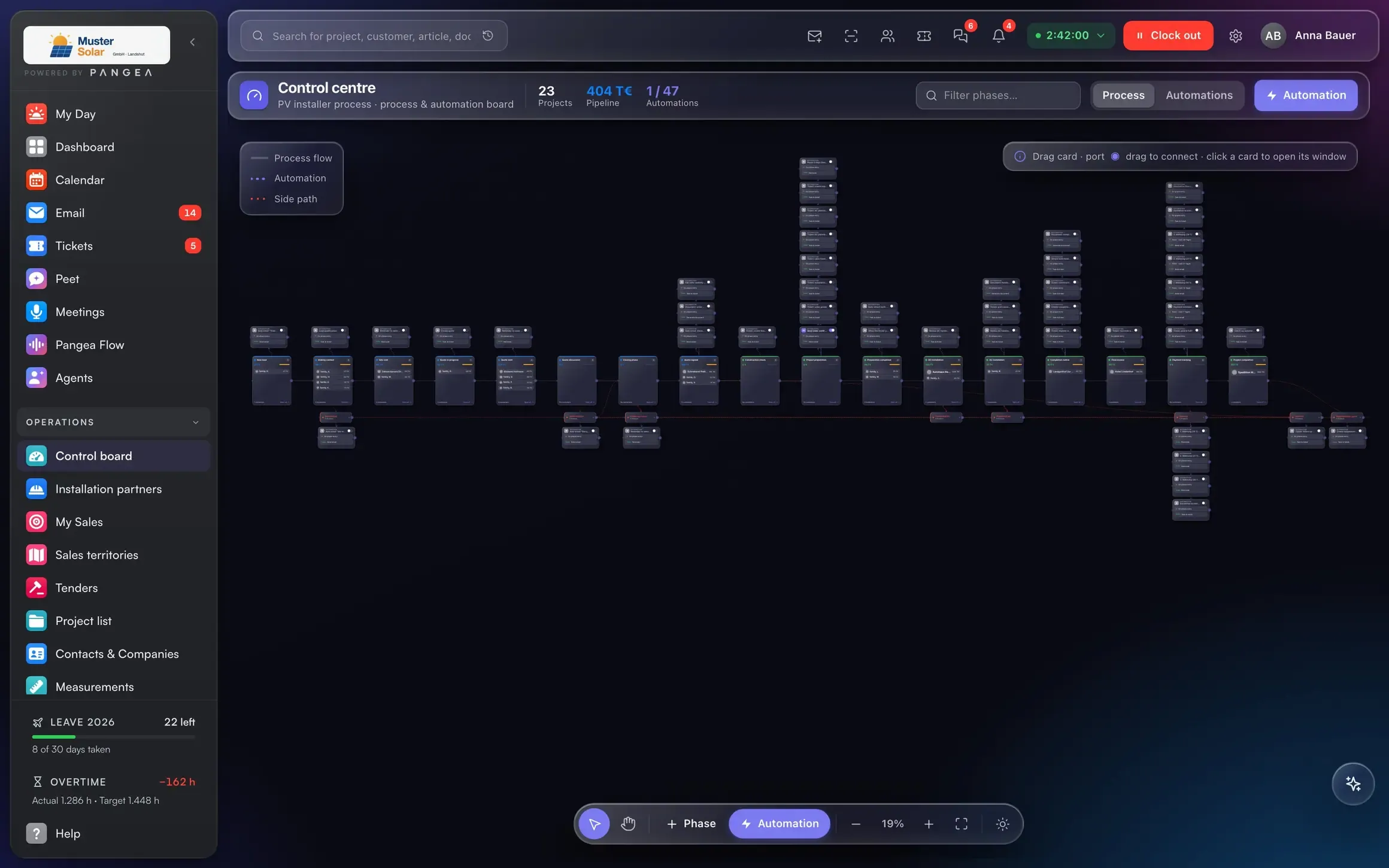
Can I see every project from the office?
The control centre shows every phase with mandatory tasks, materials and margin. Automations trigger the next step.
- Phase board with mandatory tasks
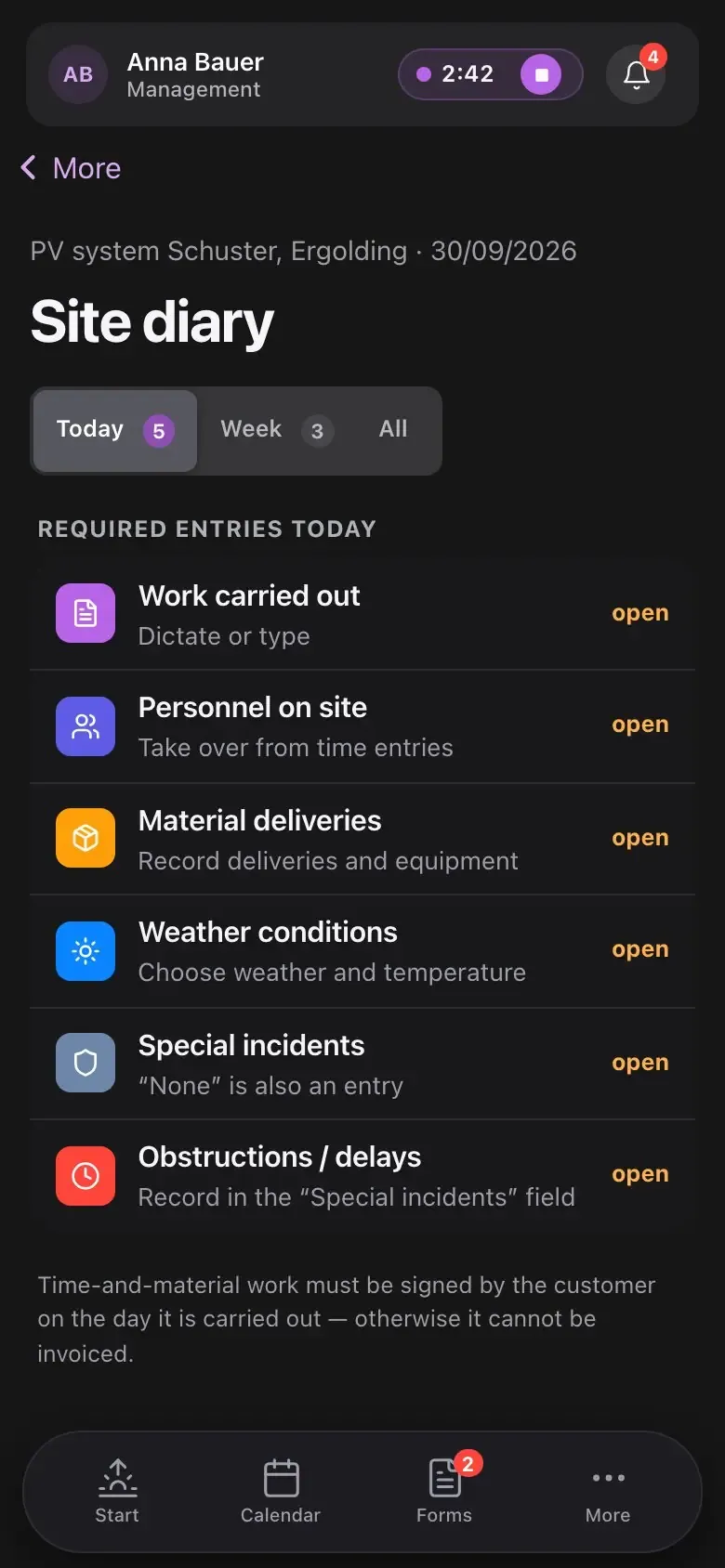
- Site diary and photos from the phone
- Job costing per project
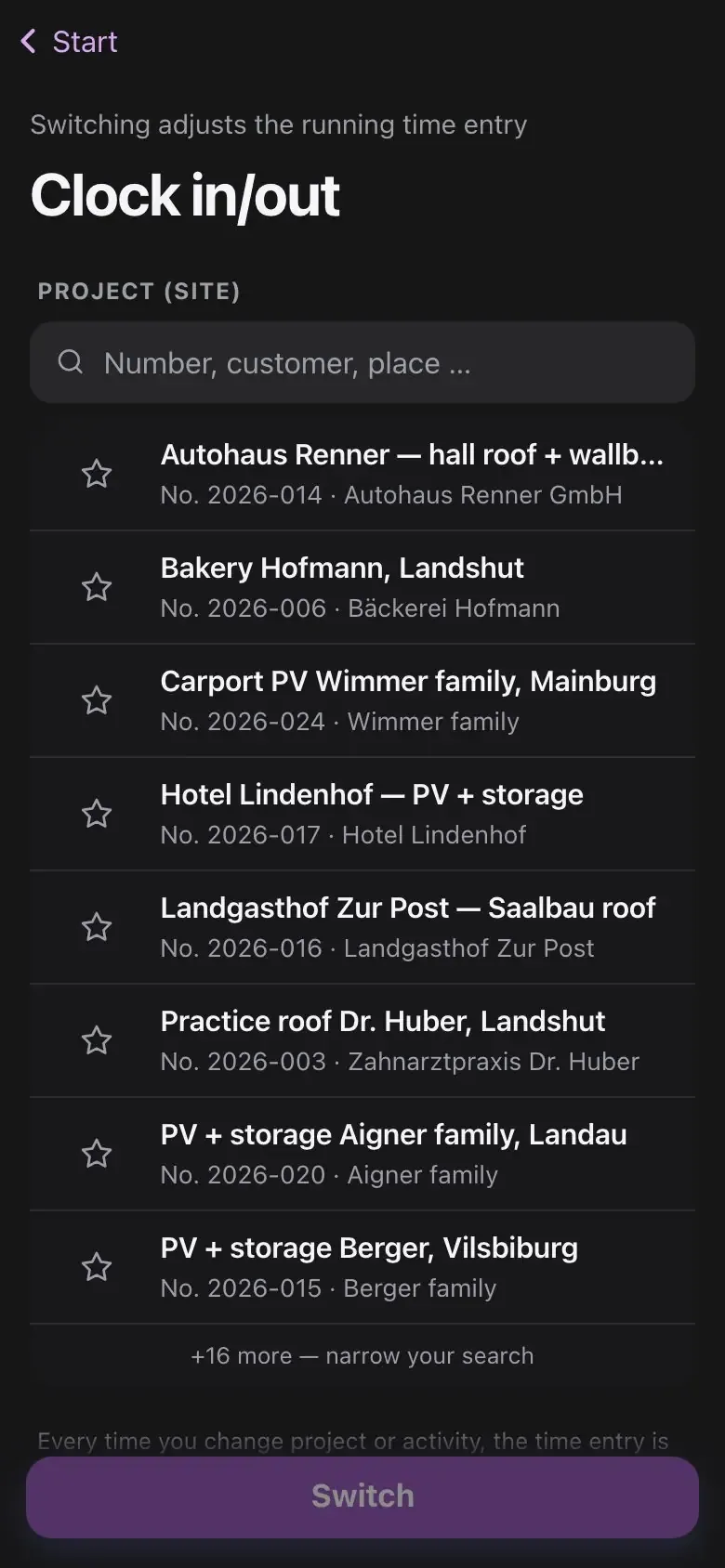
Is the app simple?
Clock in, photos, service report, customer signature. Three buttons, no menu.
- Clock in with the project, one tap
- Photos land on the job
- Service report signed by the customer
Can the tax adviser do without the box of receipts?
E-invoicing to EN 16931, bank reconciliation, dunning and export to DATEV, the German tax-adviser standard, from the same system that created the invoice.
- XRechnung and ZUGFeRD in one click
- Payments match invoices automatically
- DATEV export and DATEV Online
AI agents
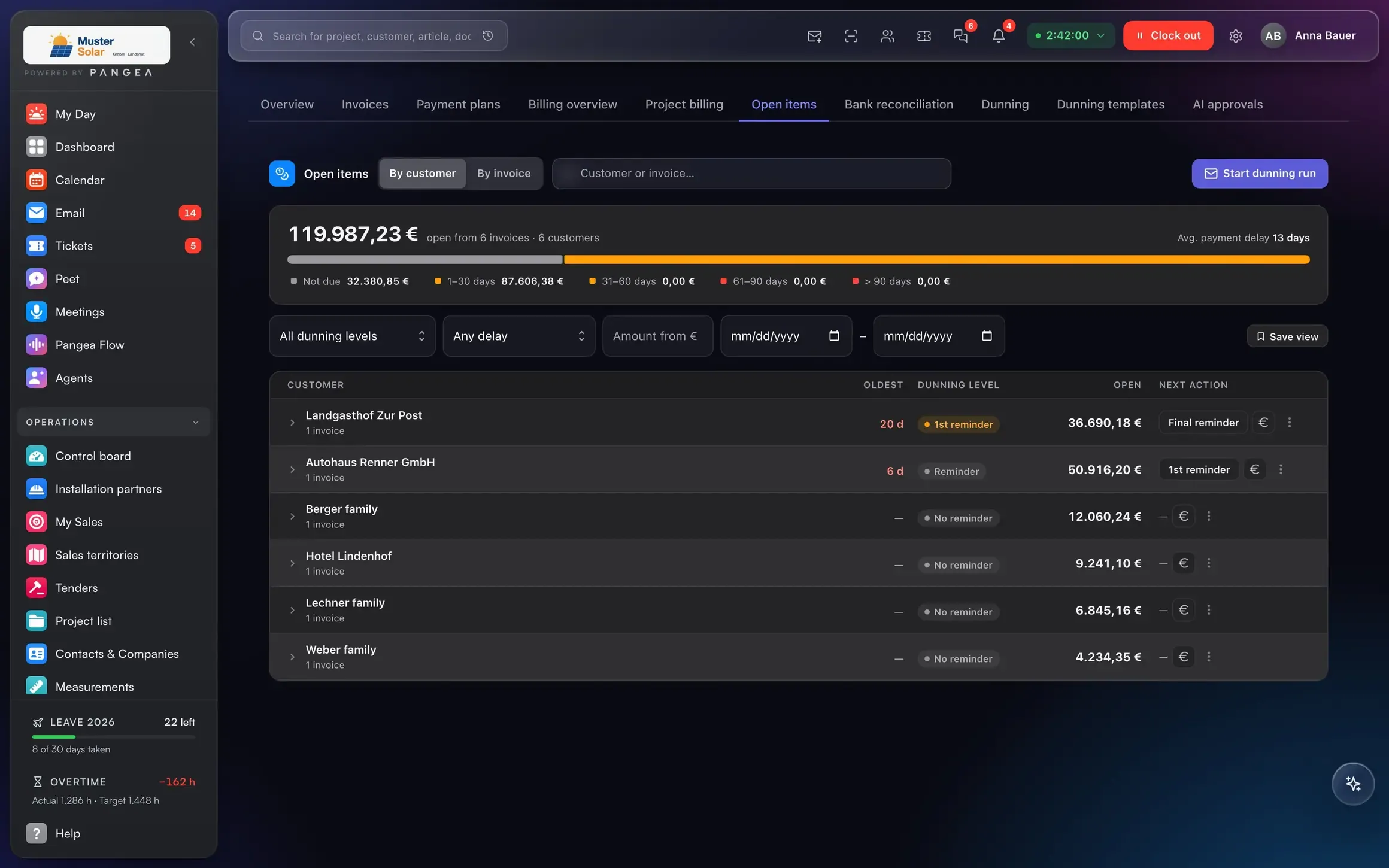
The AI proposes. You approve.
Agents work on the same data as your team: they assign account codes to documents, propose reminder levels, draft quotes from the enquiry. Nothing goes out before a person approves it.Agents code documents, propose reminder levels, draft quotes. Nothing goes out before a person approves it.
Answers with a source, and only with what the person asking is allowed to see. Data in the EU, a dedicated instance per business.
How the ontology works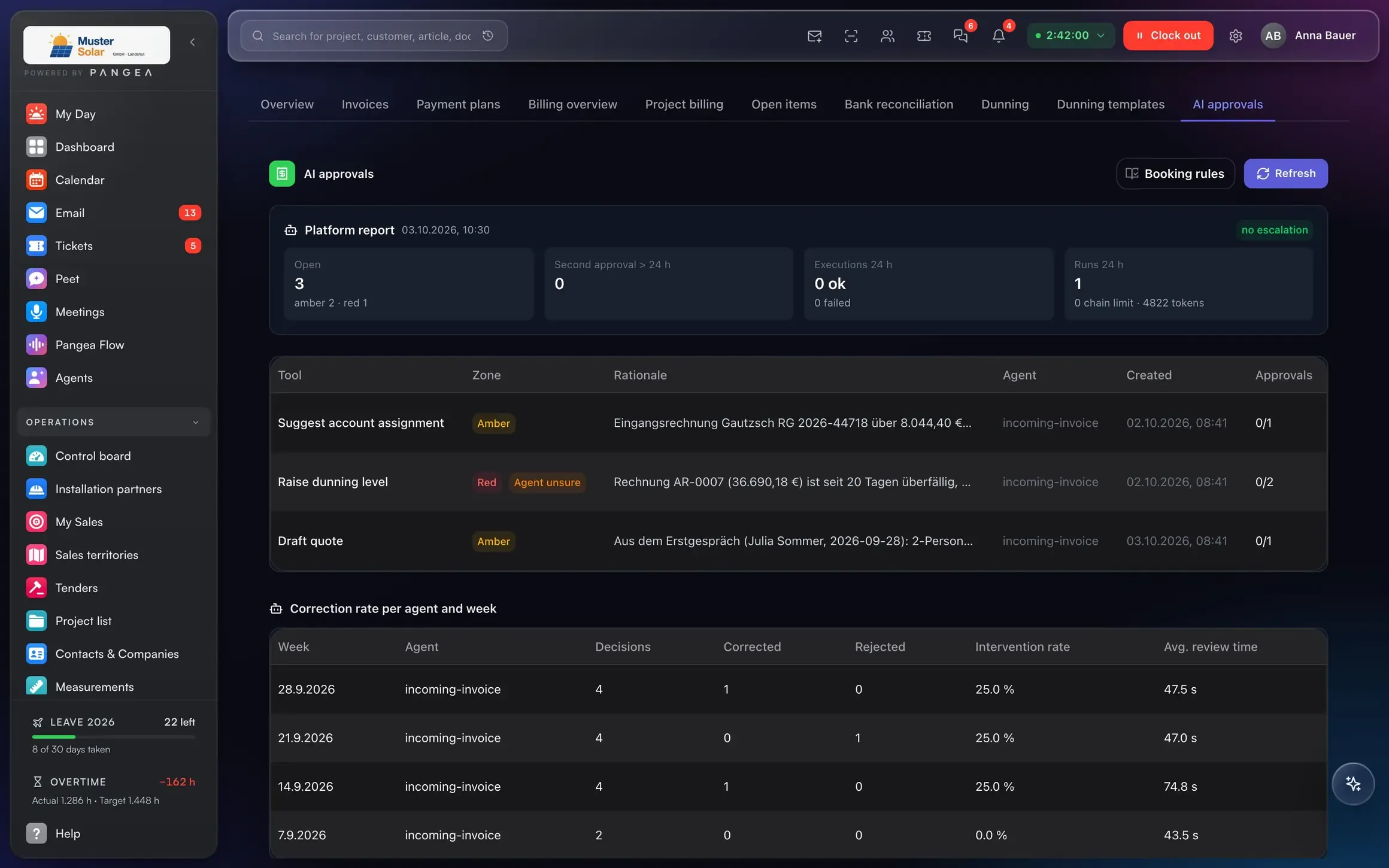
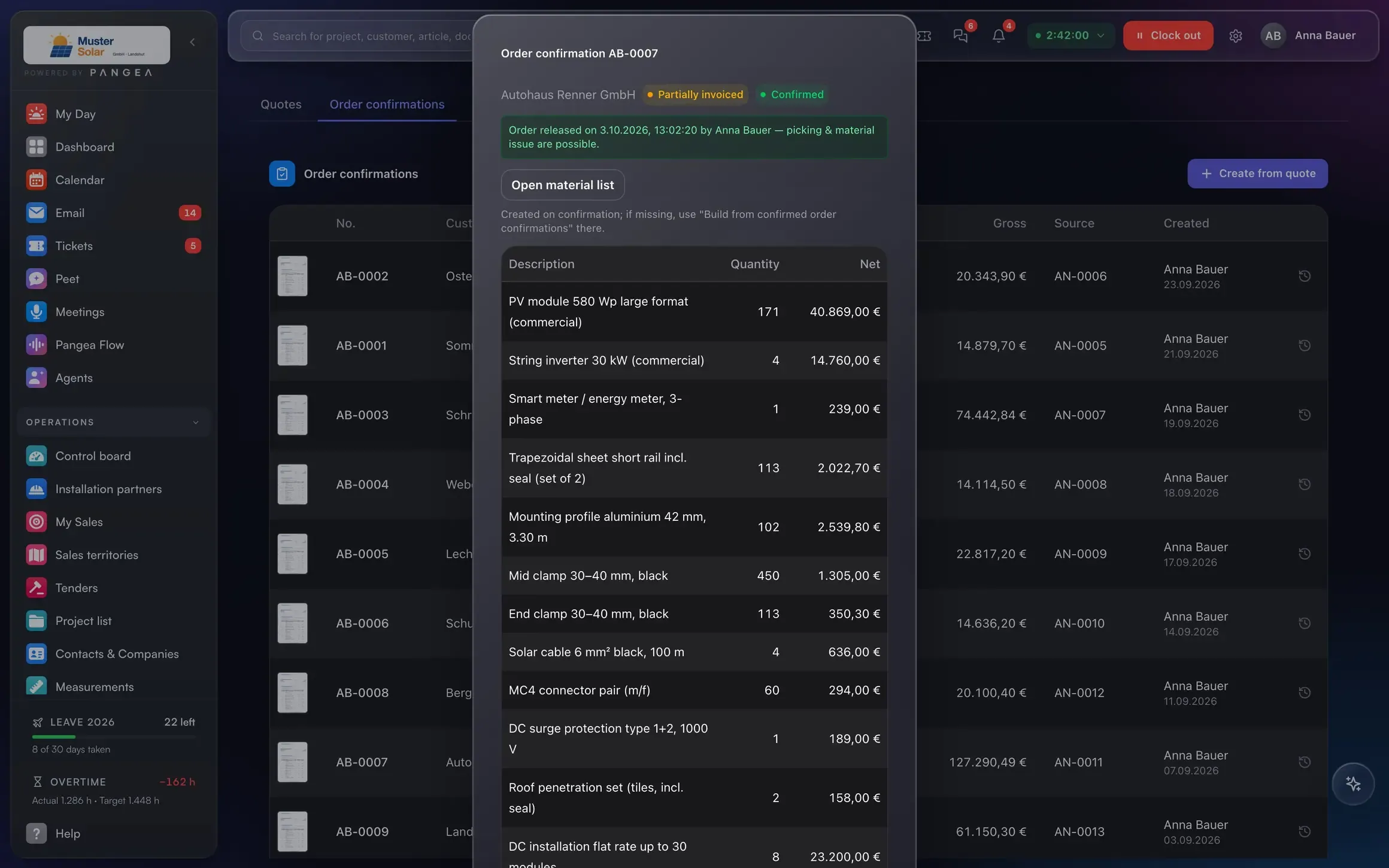
From quote to DATEV
Four steps, no retyping.
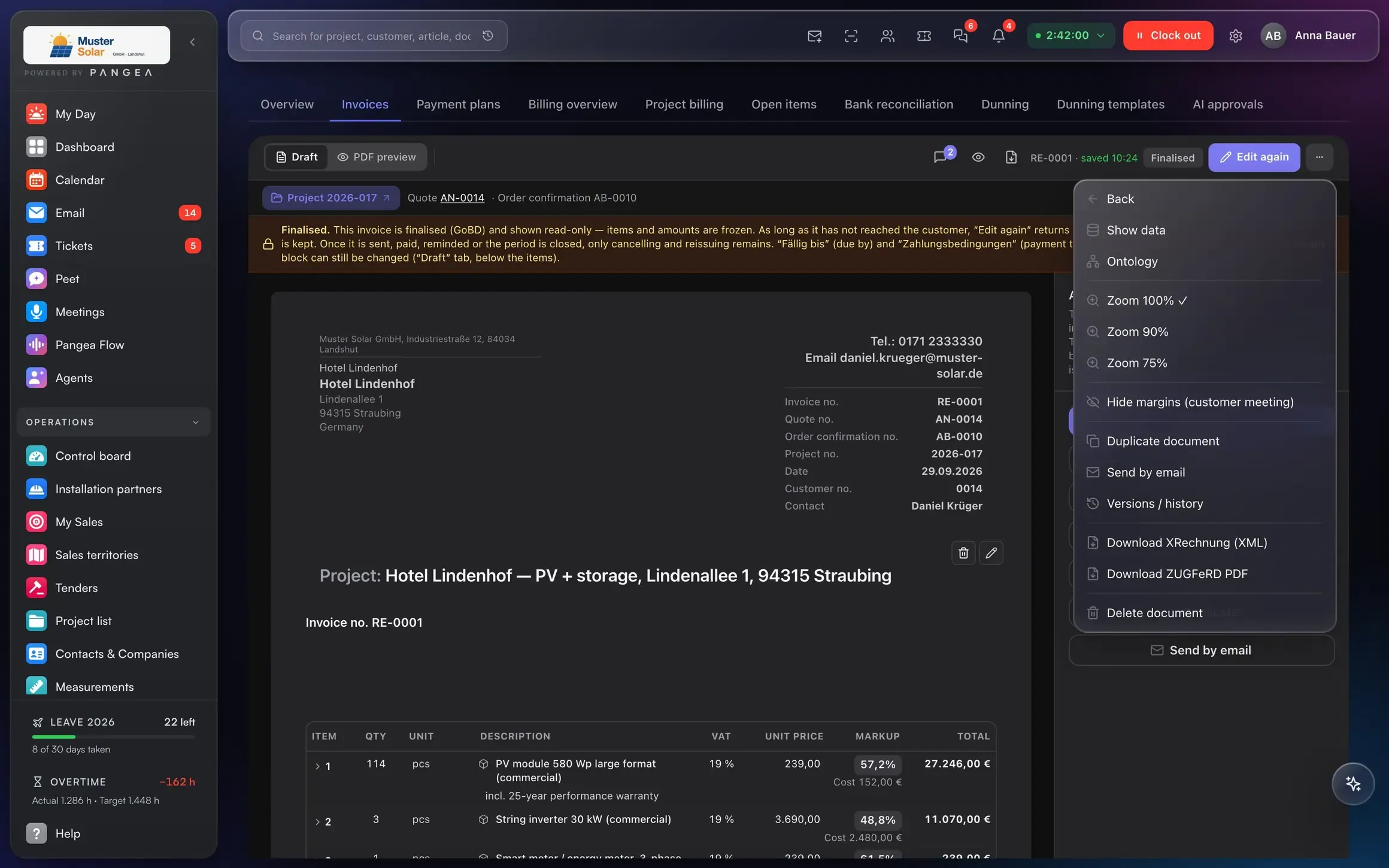
Instead of six to eight programs
One login, one data model, one price per user.
Data entered twice · documents retyped · project status only by phone
No double entry, no interfaces, no retyping. Every area in one login, included in the user price:
For your industry
One system. Tailored to any industry.
Pangea adapts to any small or mid-sized business. Pick your industry and see what comes included from day one: phases, workflows and templates. Then set up for your own company.
- Wholesale & retail Stock in the system doesn't match the shelf. Pangea for Wholesale & retail
- Manufacturing Whether an order paid off is known months later. Pangea for Manufacturing
- Machinery & plant engineering Quotes run for a year and get forgotten. Pangea for Machinery & plant engineering
- Logistics & transport Dispatch lives in Excel and on the phone. Pangea for Logistics & transport
- IT & agencies Hours worked are not fully invoiced. Pangea for IT & agencies
- Consulting & engineering firms Hours are filled in from memory at month end. Pangea for Consulting & engineering firms
- Real estate & property management Tenants report faults by phone, email and notes. Pangea for Real estate & property management
- Service providers Customer knowledge sits in individual inboxes. Pangea for Service providers
- Solar PV Grid registrations delay commissioning by weeks. Pangea for Solar PV
- Electrical Estimates use last year's prices. Pangea for Electrical
- Plumbing & heating Maintenance visits are forgotten until the customer calls. Pangea for Plumbing & heating
- Energy & utilities Faults are noticed when the customer complains. Pangea for Energy & utilities
- Roofing Rain upends the weekly plan and everyone is on the phone. Pangea for Roofing
- Painting & decorating Twenty small jobs and nobody has the overview. Pangea for Painting & decorating
- Tiling & flooring The job starts and the tiles aren't there. Pangea for Tiling & flooring
- Carpentry & joinery Whether the fitted wardrobe made money stays unknown. Pangea for Carpentry & joinery
- Landscaping The excavator is double-booked. Pangea for Landscaping
- Construction & drywall Progress invoices go out when the account runs dry. Pangea for Construction & drywall
Pricing and trust
One price per user.
No base fee.
Management, office, sales, purchasing, project management
Technicians, engineers, drivers, warehouse and service staff
Warehouse, purchasing, finance & controlling, email desk, forms, calendar and more — switched on per user, only for those who need them
Next step
A demo with someone who has issued progress invoices themselves.
30 minutes on your own example: one project from quote to payment, with your numbers.
Data migration via DATANORM, Excel and DATEV.